
Blog
Why Choose a Mobile Workstation for Your Business?
A Mobile Workstation can give business teams the power of a desktop without tying them to one desk. For architects, engineers, video editors, and data specialists, that freedom matters when projects move between offices, client sites, and home. A capable laptop can open large CAD assemblies, render detailed visuals, and handle demanding analysis while keeping the workday in motion. Still, portability alone is not a business case.
The right choice depends on the work. Consider the software your team uses, the size of its files, and whether projects require a dedicated graphics processor, expandable memory, or calibrated displays. Picture an engineer reviewing a complex model beside a factory floor. A reliable screen and responsive performance can make that review practical. Battery life, weight, and repair support matter too. Small details. They affect daily use.
Technology leader Steve Jobs offered a useful product principle: “You’ve got to start with the customer experience and work back toward the technology—not the other way around.” That idea applies here. Start with real workloads, then compare workstation specifications, warranties, security features, and total ownership costs. A premium model may be unnecessary for routine office tasks. That deserves a second look. A thoughtful purchase can support productivity, reduce workflow bottlenecks, and give employees more flexibility. This guide explores when a Mobile Workstation makes sense, which features deserve attention, and how businesses can choose with confidence.
What Is a Mobile Workstation?
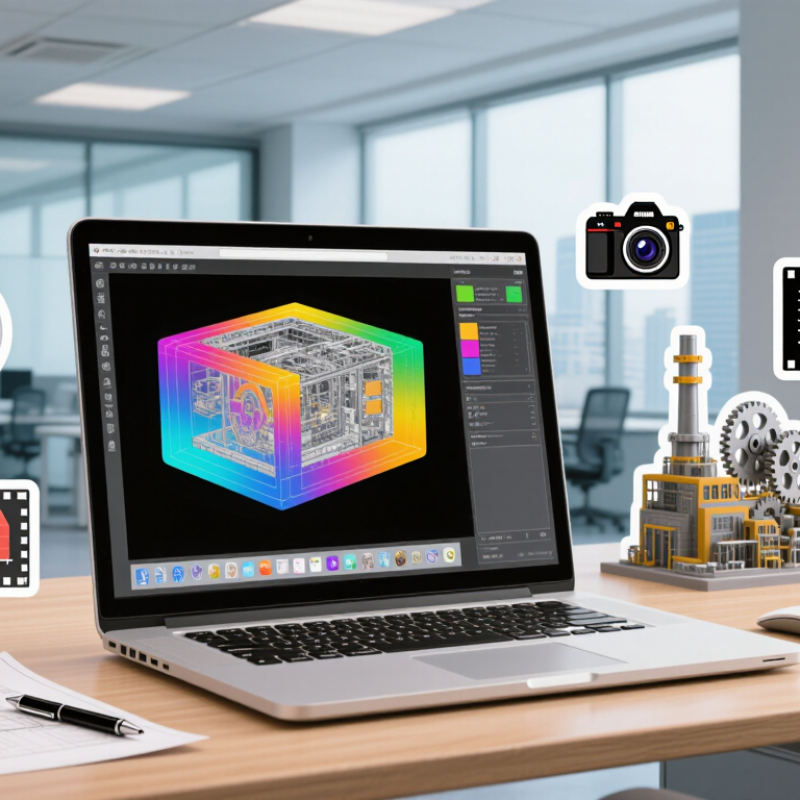
A mobile workstation is a portable computer built for demanding professional tasks, not just email and video calls. It combines a capable processor, substantial memory, and often a dedicated graphics processor in a laptop-sized system. The exact boundary is not always clear. Some powerful business laptops overlap with this category, so specifications matter more than the label.
A designer might use one to rotate a detailed 3D model in a client meeting. An engineer could review technical drawings on site, while an analyst works with large datasets away from the office. Workstation-class graphics and certified software drivers can help with specialized applications, though performance varies by workload. More memory can keep large projects responsive. A bright screen and useful ports also matter when presenting or connecting external displays.
There are trade-offs. These systems can be heavier, costlier, and louder under sustained load than everyday laptops. Battery life may shrink during graphics-intensive work. Check the applications your team uses, the files they handle, and how often they work unplugged. A specification that looks impressive on paper may still be a poor fit for a real workflow. Teams sometimes overlook repairability and cooling, then notice them only after years of daily use.
| Business Consideration | Mobile Workstation | Standard Business Laptop | Desktop Workstation |
|---|---|---|---|
| What it is | A portable computer designed for demanding professional applications, often with workstation-class processors, graphics options, memory, and cooling. | A portable computer intended mainly for everyday office work, communication, and general productivity. | A stationary computer built for demanding professional workloads and configured for use at a desk. |
| Typical workloads | CAD, 3D modeling, video production, engineering analysis, large datasets, and other intensive work away from the office. | Email, web applications, office documents, video calls, and light content work. | Long-running simulations, advanced rendering, large-scale design work, and other intensive tasks performed at a fixed location. |
| Mobility | Designed to travel, though performance-focused models are generally heavier and larger than everyday laptops. | Usually easier to carry for frequent commuting and meetings. | Not intended for regular travel; moving it usually requires transporting separate components. |
| Approximate device weight | Often about 1.8–3.5 kg, depending on screen size, cooling, and configuration. | Often about 1.1–2.0 kg, depending on screen size and materials. | Varies widely; the computer, display, and peripherals are carried separately. |
| Performance under sustained loads | Typically offers stronger cooling and higher-performance component options than a thin, general-purpose laptop, within portable power and thermal limits. | Suitable for everyday tasks; performance can be more limited during prolonged, resource-intensive work. | Usually provides more room for cooling and high-power components, making it well suited to extended workloads. |
| Graphics options | May be configured with integrated graphics or a dedicated professional graphics processor, depending on the model. | Often uses integrated graphics; some models offer more capable graphics options. | Can support larger or more powerful graphics cards, subject to the system configuration. |
| Memory and storage | Configurations vary; some models allow memory or storage upgrades, while others have components that cannot be replaced by the user. | Configurations vary; thin designs may have soldered memory and limited internal expansion. | Often offers more options for adding or replacing memory and storage, depending on the system. |
| Battery considerations | Battery life depends heavily on workload and configuration. High-performance tasks commonly use more power and may require a power adapter. | Often prioritizes longer unplugged use for everyday productivity, though actual battery life varies. | Requires external power during normal use. |
| Best fit for a business | Teams that need workstation-level capability at client sites, in the field, or across multiple work locations. | Employees whose work is primarily office productivity and who benefit most from a lighter, everyday carry device. | Teams that need high performance at a fixed workstation and do not need to take the computer with them. |
| Key trade-off | Combines portability with high performance, but can cost more and be heavier than a general-purpose laptop. | Generally more convenient for routine travel, but may not be suited to demanding professional workloads. | Can deliver strong performance and expansion options, but lacks the convenience of a single portable computer. |
Weight, battery life, performance, upgrade options, and graphics capabilities vary by model and configuration. Compare the specifications against your applications and mobility needs.