How to Choose a Rental LED Screen?
Choosing a rental LED screen is not just a matter of picking the brightest display. The right choice depends on the venue, viewing distance, content, setup time, and crew experience. A screen that looks impressive in a showroom may feel too coarse in a close-up interview or too dim beneath outdoor daylight. Small details matter.
AV consultant Alan Brawn is an experienced voice in professional audiovisual technology. A practical, paraphrased takeaway from his work is: “Choose technology for the job it must do, not for its specifications alone.” Treat that as guidance, not a verbatim quotation. For a rental LED screen, compare pixel pitch with the nearest audience position, then check brightness, refresh rate, cabinet weight, and processing compatibility. Ask how quickly the supplier can replace a module, and whether spare parts travel with the crew.
The room tells you more than a brochure. Picture a ballroom with guests seated six metres away, or a temporary stage facing late-afternoon sun. Each calls for different screen characteristics. Confirm power needs, mounting plans, cable routes, and available setup hours before signing. Reliability matters. So does support. Request a signal test and a clear point of contact for event day.
Specifications can still mislead. I would not select a screen on pixel pitch alone; viewing conditions and content can change the result. Share venue photos, audience distances, and a draft stage plan with the rental provider. Then compare the proposed configuration against your actual event, not an idealized demo.
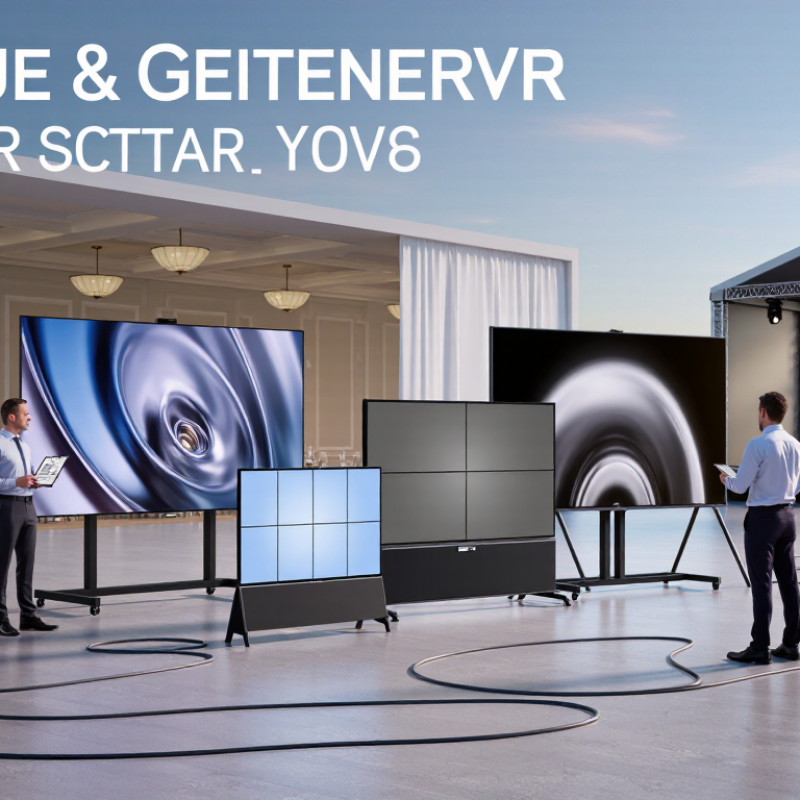
Define the Event Requirements and Audience Viewing Conditions
How to Choose a Rental LED Screen?
Define the Event Requirements and Audience Viewing Conditions
Start with the room, not the screen. Measure the audience area, ceiling height, stage width, and distance from the nearest seat. A screen that looks impressive from the back may overwhelm guests near the stage. Check sightlines from the sides, too; columns, cameras, and standing attendees can block the image. Small details matter.
The ITU-R BT.500 recommendation for HDTV picture assessment uses a viewing distance of about three picture-heights. Treat this as a reference, not a rental rule: live venues have different content, layouts, and audience movement. AVIXA’s ANSI/AVIXA V202.01 standard also links display size to viewing distance and the task viewers need to perform. For slides with fine text, test legibility from the farthest seat. For bold graphics, a wider viewing distance may work. Pixel pitch is another planning factor: the common pitch-to-distance rule is only a starting point, not a guarantee.
Check the venue’s ambient light at show time. Daylight through glass can wash out dark imagery, while a dim room may make a bright screen uncomfortable. Ask whether the screen must serve cameras as well as the audience; camera refresh and exposure can affect the image. I still leave a little margin. Venue drawings can be optimistic. Test a real slide from several seats before confirming the screen dimensions and pitch.
Choose Pixel Pitch Based on Viewing Distance and Content Detail
Pixel pitch is the distance, in millimeters, between neighboring LED pixels. It affects how close viewers can stand before individual pixels become noticeable. For a rental screen, start with the nearest expected viewing position, not the room’s average distance. A screen beside a stage may need finer pitch for front-row guests. A large outdoor display across a plaza can often use wider pitch. Measure the actual setup area; venue diagrams can miss obstructions and unusual sightlines.
Content detail matters just as much. Fine pitch helps preserve small text, thin chart lines, and close-up product images. For bold video, large titles, or simple motion graphics, extra resolution may add cost. At normal viewing distances, the difference may not be visible. Check the source content at its intended scale. Tiny text can still look poor when the file is low resolution. Do not expect pixel pitch to fix it. There is no perfect cutoff: lighting, camera use, and audience movement can change what looks clear. Not always obvious.
Tips: Mark the closest audience point with tape, then compare sample content from there. Ask the rental team for a demo at the planned distance and confirm the screen’s native resolution. If the budget is tight, prioritize viewing distance and essential content. A finer pitch is not automatically better.
Select Screen Size, Resolution, Brightness, and Configuration
Choose screen size from the farthest viewer’s position, not the stage plan alone. AVIXA’s DISCAS method links image size to viewing distance and content legibility; a slide deck needs larger, clearer text than concert visuals. Pixel pitch is a useful check: a 2.5 mm pitch can look sharp from several metres away, but test the actual content at the venue. Small text exposes mistakes fast.
Match resolution to the content source and processor. ITU-R BT.2020 includes UHD formats up to 3840 × 2160 pixels, but a rental wall does not need that native resolution if viewers stand far back. Check the processor’s mapping, then confirm fine text and thin lines on the assembled screen. I have seen a technically correct layout feel cramped.
Brightness depends on ambient light. SMPTE ST 2080-3 specifies 100 cd/m² diffuse white for a reference HDTV viewing environment; this is a controlled-room benchmark, not an outdoor LED target. Measure the venue, including daylight and stage wash, and avoid running panels brighter than necessary. For configuration, check cabinet dimensions, aspect ratio, cable paths, rigging points, and access to power. A curved or irregular wall can look striking, but it adds alignment work and may leave awkward seams.
Check Venue, Mounting, Power, and Weather Requirements
How to Choose a Rental LED Screen?
Check Venue, Mounting, Power, and Weather Requirements
Start with the venue, not the screen size. Measure the viewing distance, ceiling height, doorways, and lift access. Check floor capacity and confirm that rigging points have approved load limits. A screen that fits the stage may still block an exit or exceed the structure’s safe capacity. Get written approval from the venue’s technical team.
For power, ask the rental provider for the screen’s maximum and typical draw. Calculate current using the stated voltage, then check circuit capacity, cable runs, and connector locations with a qualified electrician. Leave room for processors and other equipment. The U.S. Energy Information Administration reported that customers averaged 5.5 hours of electricity interruptions in 2022, including major events. For critical shows, discuss backup power and a safe shutdown plan.
Outdoor screens need more than a rain cover. Check the equipment’s weather rating, drainage, temperature limits, and wind plan with the supplier. NOAA counted 28 U.S. billion-dollar weather and climate disasters in 2023, a reminder that conditions can change quickly. Set clear thresholds for stopping work or lowering the screen. I would not assume a sheltered stage is wind-safe; site layout can channel gusts in unexpected ways. Do a final walk-through with the crew. A small cable-route problem can become a trip hazard.
Compare Rental Packages, Technical Support, and Total Costs
A rental LED quote is only comparable when the package details match. Check screen size, pixel pitch, processing, cabling, rigging, transport, installation, and strike labor. A low daily rate may exclude an operator or spare panels. Small omissions add up.
AVIXA’s 2024 Industry Outlook estimates global professional audiovisual revenue at $325 billion in 2023, projecting $402 billion by 2028. This is broad market context, not a rental-price benchmark. Compare each supplier’s itemized quote instead. One uncomfortable detail: even a careful spreadsheet can miss overtime triggered by a late venue handover.
Tips: Ask for a written list of inclusions and exclusions. Confirm technician hours, response time, spare-module availability, and after-hours fees. Request a final estimate covering delivery, setup, operation, and teardown.
Technical support matters most when the screen goes dark during a cue. Confirm who troubleshoots on site and how quickly replacement parts can arrive. Then compare total costs, including power distribution, venue access, insurance, and cancellation terms. Keep a contingency for changes; it may feel excessive until the schedule slips. AVIXA’s figures describe the wider industry, so use them as context—not proof that any package is fairly priced.
How to Choose a Rental LED Screen?
Compare package costs for a 10 m² LED screen rental for one event day.
These illustrative USD estimates show how equipment, setup and logistics, and technician support contribute to total cost. Compare what each quote includes—especially on-site support, delivery, and setup—before choosing a package. Actual prices vary by location, screen specification, rental duration, and event requirements.